Good design can make people stop and smile. Bad design can make them leave fast.
1. Cluttered layouts
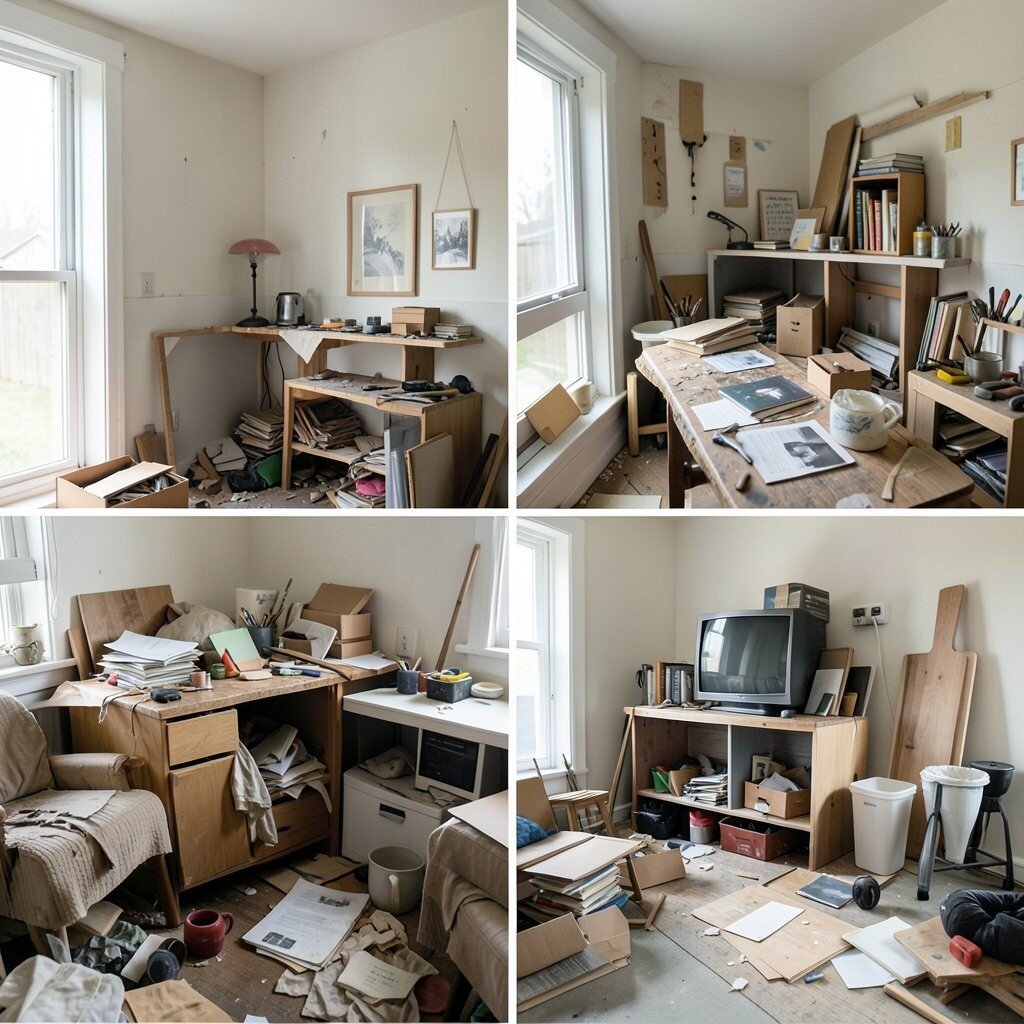
A cluttered layout feels like a messy desk with too much stuff on it. When every space is full, the eye gets tired and the message gets lost.
Clean layouts work better because they give each part room to breathe. Use white space, simple groupings, and a few strong visual points so the page feels calm and easy to scan. This style is popular right now because it looks modern, and it often costs less to build since fewer extra pieces are needed.
2. Weak visual hierarchy
Some pages look flat because everything has the same size and weight. That makes it hard to know what to read first.
Strong hierarchy guides the eye like road signs on a street. Make the main title bold, use smaller text for details, and keep important buttons easy to spot.
You can also add contrast with color, spacing, and shape to make the best parts stand out. A good hierarchy helps people move faster and feel less confused. If you want a personal touch, try matching the style to your brand voice, like playful, calm, or bold.
3. Too many fonts
Using many fonts can make a design look noisy and messy. It can also make the page feel less trustworthy.
Stick to one or two fonts that work well together. A simple pairing keeps the design neat and helps the message stay clear.
This also saves time and money because you do not need to test so many options. Pick fonts that match your mood, such as soft rounded letters for friendly brands or sharp clean ones for a sleek look. Many current designs use quiet, simple type so the content can shine.
When the font choice is smart, the whole page feels more polished. That small choice can make a big difference.
4. Poor color contrast
Text that blends into the background is hard to read and easy to ignore. The page may look pretty, but it fails the real test.
Good contrast helps people read faster and longer. Dark text on a light background, or the reverse, usually works best.
5. Ignoring mobile screens
Many designs look fine on a big screen and break on a small one. Buttons may shrink, text may wrap badly, and images may feel crowded.
Mobile-first thinking makes designs easier for more people to use. Test your layout on a phone early, not at the end.
Responsive design is a major trend because so many people browse on the go. A mobile-friendly layout can also save money later by avoiding big fixes. Try larger tap areas, shorter text blocks, and stacked sections that fit small screens well.
6. Overused stock images
Stock photos can help, but the same smiling faces show up everywhere. That can make your brand feel plain and forgettable.
Choose images that feel real and fit your story. Custom photos, illustrations, or simple graphics can make the design feel more unique.
Original visuals often build trust because they seem more honest and personal. If custom work is too costly, mix a few real photos with simple shapes or icons. A small set of branded images can create a stronger look than a huge pile of random ones.
Fresh visuals also help your work stand out in busy feeds. That can be a real win for attention.
7. Tiny text that strains the eyes
Very small text can make people squint and give up. It turns reading into a chore.
Choose a size that feels easy on the eyes, even on a small screen. Good spacing and line height help too.
Larger text can feel more open, friendly, and current. It also helps people read longer without getting tired. If you want a personal style, use size changes to show what matters most, like a big headline and softer body text.
Readable text is always worth the effort. It makes the whole design feel kinder.
8. No clear call to action
A design without a clear next step can leave people stuck. They may like what they see, but not know what to do.
Every page should guide the viewer somewhere. Use a simple button or link that says exactly what happens next.
Clear calls to action improve results because they remove guesswork. Make them stand out with color and placement, but keep the wording simple and human. If you want a unique feel, try action words that match your brand tone, like “Start,” “Save,” or “See more.”
This kind of clarity can boost clicks without adding much cost. Small wording changes often bring big gains.
9. Too many design styles at once
Mixing too many styles can make a design feel confused. One part may look playful while another feels serious, and the page loses its voice.
Pick a clear style direction and stay with it. A steady look makes the work feel stronger and more confident.
Trendy designs often use one strong mood, such as soft minimal, bold retro, or clean tech. You can still personalize it with your own colors, images, or icons. A focused style also tends to cost less because you make fewer random changes.
When the pieces match, the whole design feels more complete. That is a simple way to look more professional.
10. Bad alignment
When items are not lined up well, a design can feel shaky. Even small misalignments can make the page look sloppy.
Alignment gives order and calm. It helps the eye move smoothly from one part to the next.
Use grids, guides, and consistent spacing to keep everything neat. This is one of the easiest ways to improve quality without adding new content. If you want a custom touch, you can still break the grid in one small way to create focus.
Good alignment is quiet, but people notice it. They may not say why the design feels better, only that it does.
11. Ignoring accessibility
A design should work for more than one kind of user. If it only works for some people, it is missing the point.
Accessibility means using clear contrast, readable text, and easy navigation. It also means thinking about people who use keyboards, screen readers, or other tools.
Accessible design is more welcoming and often more useful for everyone. It can also protect you from costly fixes later. Current best practice is to build access in from the start, not add it as an afterthought.
Simple choices can make a huge difference. A better design is often a more caring design.
12. Overloaded animations
Motion can make a page feel lively, but too much motion can feel dizzy. If things move everywhere, people may not know where to look.
Use animation to guide attention, not steal it. Small fades, gentle slides, and short hover effects often work best.
Light motion is a current trend because it adds polish without shouting. It can also be cheaper than heavy custom effects if you keep it simple. Try using animation only where it helps, such as on buttons, menus, or key images.
Good motion should feel smooth and useful. It should support the design, not run it.
13. Weak branding
When a design has no clear brand feel, it can look like anyone’s work. That makes it harder to remember.
Branding is the mix of colors, type, voice, and shapes that makes the design feel like yours. Strong branding helps people recognize you faster.
You do not need a huge budget to build a brand look. A small set of colors and a few repeat shapes can do a lot. Personal touches, like hand-drawn icons or custom patterns, can make the design feel special.
Unique branding also helps you stand out in crowded spaces. That can be a smart long-term gain.
14. Crowded navigation
A menu with too many choices can feel like a packed hallway. People may freeze instead of moving forward.
Keep navigation short and clear. Group related items together so the path feels simple.
Easy navigation improves the user experience and lowers stress. It also helps people find what they need without extra clicks. If your site has many pages, use submenus or filters to keep the top level neat.
Simple menus are popular because they feel light and fast. That is a win for both style and use.
15. Poor spacing
Spacing is like the air between objects in a room. Without it, everything feels squeezed.
Give text, images, and buttons enough room to breathe. This makes each part easier to see and understand.
Good spacing can make even a simple design look high-end. It also helps people focus on one thing at a time. If you want a more personal look, use spacing to create rhythm, such as wide gaps around important content and tighter groups for related ideas.
This change often costs nothing at all. Yet it can improve the whole page in a big way.
16. Generic templates with no twist
Templates are helpful, but a plain copy of a template can feel dull. It may work, but it will not feel special.
Add one or two personal details to make it yours. A custom color, a unique icon set, or a special layout choice can help.
People notice when a design has a fresh point of view. That uniqueness can make your brand more memorable and more fun to use. You do not need a large budget to stand out if you make smart, small changes.
Current design trends still leave room for personality. The best work uses structure with a little surprise.
17. Too much text on one screen
A screen packed with words can feel heavy and hard to read. People may skip it before they even start.
Break content into smaller parts with headings, bullets, and short blocks. That makes the page feel lighter and easier to use.
Shorter sections also help the message land faster. This is useful for busy readers and mobile users alike. If you need to keep a lot of detail, use expandable sections or linked pages to keep the main view clean.
Better flow often leads to better results. It is easier to read, easier to remember, and easier to enjoy.
18. Low-quality icons
Icons can help a design feel clear and friendly, but poor icon choices can hurt the look. If styles do not match, the page feels uneven.
Use icons from one set or create your own style. Keep the line weight, shape, and detail level consistent.
Good icons can save space and help people understand things fast. They also add a bit of charm when used well. If you want a personal touch, customize a few icons to match your brand, but keep the set balanced.
Quality icons do not need to be fancy. They just need to fit.
19. Forgetting empty states
Empty states are the screens people see when there is no data yet. Without care, they can look cold and unfinished.
Use these moments to guide and encourage the user. A friendly message, small illustration, or helpful button can make the space feel alive.
Thoughtful empty states are useful because they turn a blank moment into a helpful one. They can also show off your brand voice in a warm way. If budget is tight, simple copy and a small icon can still do the job well.
This is a smart place for creativity. Even a quiet screen can feel welcoming.
20. Inconsistent button styles
Buttons that look different for no reason can confuse people. One may feel like the main action, while another looks less important, even if both matter.
Choose a clear button system and use it everywhere. Keep the same shape, size, and color rules for each type.
Consistency makes the interface easier to learn. It also gives the design a polished, planned look. You can still add a unique touch with hover states, small icons, or subtle color changes.
Good button design can improve clicks and confidence. That is a simple upgrade with real value.
21. Ignoring content order
If content is placed in a random order, the page can feel hard to follow. Readers may not know what matters most.
Put the most important message first and build from there. Think about the path a new visitor will take through the page.
Careful order makes the design feel smarter and more helpful. It can also reduce the need for extra explanation later. A well-planned structure is often cheaper to maintain because it causes fewer edits and less confusion.
Good content order is a quiet strength. It helps the whole design make sense.
22. Overdecorating with effects
Shadows, glows, borders, and textures can be fun in small amounts. Too many of them can make the design feel heavy.
Use effects only when they help separate items or add focus. Keep them soft and simple so the page stays clean.
Today’s best designs often use subtle effects instead of loud ones. This gives a modern look without making the page feel busy. If you want a special vibe, choose one effect style and repeat it with care.
Less decoration can make the content stronger. That is often the smartest choice.
23. Not testing readability
Some designs look good in a mockup but are hard to read in real life. That can be a big problem once real people use them.
Test your text on different screens and in different light. Check the size, spacing, and contrast with fresh eyes.
Readable design helps people trust the content and stay longer. It also lowers frustration, which is always a good thing. You can ask a friend to read it too, since a second opinion often catches small issues fast.
Testing takes a little time, but it can save a lot of trouble. That makes it worth doing.
24. Hidden contact details
If people cannot find contact details, they may think you are hard to reach. That can lower trust right away.
Keep contact options easy to spot and simple to use. Put them where people expect them, like the top, footer, or menu.
Clear contact paths make a design feel open and friendly. They also help with sales, support, and quick questions. If you want a more personal touch, add a short note or a warm line of text next to the details.
This small fix can make a big difference in how people feel. Easy access builds confidence.
25. Relying on trends too much
Trends can make a design look fresh, but too much trend chasing can age it fast. What feels cool today may feel old soon.
Use trends as spice, not the whole meal. Keep the core design strong and add trend pieces in small ways.
This balance helps your work stay useful longer. It also saves money because you do not need a full redesign every time styles shift. A timeless base with a few current touches often works best for brands that want both style and staying power.
Personal taste still matters here. The best design is current, but not trapped by the moment.
26. Poor image quality
Blurry or stretched images can make even a good design look cheap. They pull attention away from the message.
Use high-quality images that fit the right size and shape. Crop them carefully so they stay sharp and balanced.
Clear images help your work look more professional and trustworthy. They also make colors and details feel richer. If custom photography is out of budget, choose fewer images but make sure each one is strong.
A single crisp image can do more than many weak ones. Quality always shows.
27. No room for user feedback
Designs should not act like one-way streets. People need a way to say what they think or what went wrong.
Use feedback states, messages, and simple response areas to show the system is listening. Even tiny hints can make users feel seen.
This kind of care improves trust and helps people fix mistakes faster. It can also make the design feel more human and less cold. If you want a unique tone, shape your feedback messages to match your brand voice, from playful to calm.
Feedback space is useful and kind. It makes the experience feel more complete.
28. Forgetting consistency across pages
When each page looks different, users may feel lost. They have to relearn the design every time they click.
Keep colors, type, buttons, and spacing steady from page to page. That creates a smooth and familiar experience.
Consistency saves time for both users and designers. It also makes the brand feel more stable and reliable. A shared system can lower costs too, since you reuse parts instead of rebuilding them over and over.
Small differences are fine, but the main pattern should stay the same. That is how a design feels whole.
29. Trying to say too much at once
When a design tries to tell every story at the same time, the main point gets buried. The page can feel loud, busy, and hard to remember.
Choose one main message and let it lead. Support it with only the details that truly help.
This makes the design clearer, stronger, and easier to act on. It also gives you room to make the best parts shine, which is a big help for both style and results. If you want a personal feel, focus on the one thing your audience cares about most and build around that.
Less noise often means more impact. That is a smart way to make design work better.